
Learn how to complete your free e-ticket for the Dominican Republic. Avoid online scams, access the official site, and get your QR code fast.
Heading to the Dominican Republic for a sun-drenched beach vacation? Before you pack your swimsuit and head to the airport, you must complete one crucial task: filling out your digital entry and exit forms.
Travelers often search for a free e ticket Dominican Republic portal, only to fall victim to third-party sites charging hidden fees. Here is the absolute truth: the official Dominican Republic entry and exit form costs nothing. Zero dollars.
This comprehensive guide breaks down the official process for securing your free eticket Dominican Republic QR code quickly and safely. You will learn how to complete the form step-by-step, avoid third-party scams, troubleshoot common errors, and clear immigration without a single hassle.
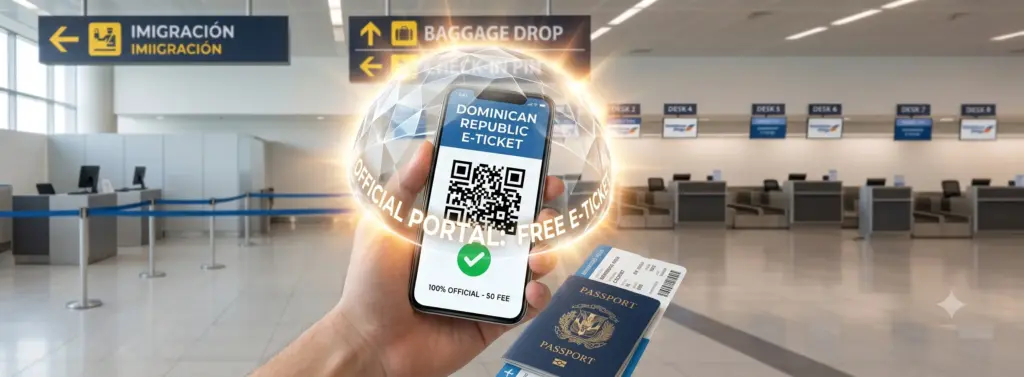
Free E Ticket Dominican Republic: Don’t Fall for the $50 Scam!
What Is the Dominican Republic E-Ticket?
The Dominican Republic E-Ticket is a mandatory digital form that combines three separate paper documents into one convenient electronic code:
- Immigration Card: Tracks your arrival and departure details.
- Customs Declaration: Declares any goods, currency, or items you bring into or take out of the country.
- Public Health Affidavit: Confirms your health status and contact details for traveler safety.
In 2021, the General Directorate of Migration (Dirección General de Migración) permanently retired paper customs forms and physical entry cards. Today, every traveler entering or leaving the Dominican Republic through any airport must present a digital E-Ticket QR code.
Whether you land at Punta Cana International Airport (PUJ), Las Américas International Airport in Santo Domingo (SDQ), or Gregorio Luperón International Airport in Puerto Plata (POP), border officials expect to scan your QR code before granting entry.
Is the Dominican Republic E-Ticket Free? How to Avoid Third-Party Scams
Yes, the official Dominican Republic E-Ticket is 100% free. The government of the Dominican Republic charges zero processing fees for issuing your digital entry code.
However, dozens of third-party websites pop up in search engine results, mimicking official government logos and design layouts. These middleman sites charge anywhere from $20 to $80 per person just to submit your information on the government page for you.
OFFICIAL vs. SCAM SITES AT A GLANCE
| Official Government Portal | Third-Party Middlemen |
| Domain ends in .gob.do | Domain ends in .com / .org |
| Cost: $0 USD | Cost: $20 to $80+ USD |
| Instant QR generation | Delayed delivery |
| Never asks for credit card | Requires payment details |
How to Spot the Official Government Site
Always check your browser’s address bar. The only official portal operates at:
https://eticket.migracion.gob.do
(https://eticket.migracion.gob.do)
Notice the .gob.do extension at the end of the web address. This extension signifies an official government domain in the Dominican Republic. If a website asks for your credit card, debit card, or PayPal account to generate your E-Ticket, close the page immediately. You are on a third-party commercial website.
E-Ticket vs. Dominican Tourist Card
Do not confuse the E-Ticket with the Dominican Tourist Card fee. The Dominican Republic previously required tourists to purchase a separate $10 Tourist Card upon entry.
Today, airlines automatically incorporate this $10 fee into the base price of your flight ticket. You do not need to apply for or pay for a Tourist Card online. The only thing you need to fill out independently is your free eticket Dominican Republic form on the official government website.
Step-by-Step Guide: How to Fill Out the Free E-Ticket
Filling out the official E-Ticket form takes fewer than ten minutes if you have your trip details organized ahead of time. Follow these steps for a smooth submission.
Step 1: Gather Your Required Information
Keep these items next to you before opening the website:
- Valid Passport (must be valid for the duration of your stay).
- Flight details (Airline name, flight numbers, arrival and departure dates).
- Accommodation details (Name of your resort, hotel name, or local street address).
- Personal email address (to receive your digital confirmation).
Step 2: Access the Official Portal
Open your web browser and navigate directly to eticket.migracion.gob.do. Select your preferred language (English, Spanish, French, Italian, Russian, or German) using the flag icon at the top of the screen.
Step 3: Choose Solo vs. Group Application
Click on “E-Ticket Application” to start a new form. The system will ask if you are traveling alone or with a group.
Pro-Tip: The official portal allows one single application to cover up to 7 family members traveling together on the exact same itinerary. You do not need to fill out seven separate applications for your family. The system consolidates your family under one single primary QR code.
Step 4: Complete General & Personal Information
- Whom are you filling this for? Select whether you are completing the form for yourself or a group.
- Permanent Residence: Enter your home country, state, city, and home address.
- Personal Data: Enter your full name, birth date, gender, nationality, occupation, and passport number exactly as they appear on your official travel documents.
Step 5: Input Flight & Accommodation Data
- Travel Type: Select Inbound (Arrival) when traveling into the country.
- Transport Method: Select Commercial Flight or Private Flight.
- Flight Info: Choose your airline, entry airport, flight number, and arrival date.
- Destination Address: Select your destination province, municipality, and resort/hotel name. If you stay at a private rental (such as an Airbnb), enter the exact street address.
Step 6: Complete Customs & Health Declarations
Answer the short series of standard health and customs questions:
- Are you traveling with animals or plants?
- Are you carrying more than $10,000 USD (or equivalent currency) in cash?
- Are you experiencing any active symptoms of illness?
If you bring standard personal belongings, clothing, and non-commercial luggage, answer “No” to the financial and agricultural check boxes.
Step 7: Submit and Save Your QR Code
Once you verify your entries, click “Submit.” The website instantly generates an official PDF document displaying your unique QR code alongside an application code.
Crucial Step: Take a screenshot of the QR code immediately on your phone and download the PDF to your local storage. While the system attempts to email the document, server delays occasionally occur. Having an offline image on your smartphone guarantees smooth processing at check-in.
Step 8: Complete Your Departure Form
Remember that entry into the Dominican Republic is only half the process. The government requires a separate E-Ticket for your outbound (exit) journey back home. You can fill out your departure E-Ticket standardly a day or two before your return flight home using the exact same official link.
When Should You Complete Your E-Ticket?
Many travel blogs state that you must complete the form strictly within 72 hours of your flight. However, official guidelines permit travelers to access and submit the form as soon as they purchase their flight tickets and confirm their hotel arrangements.
Recommended Timeline
- Ideal Window: Fill out the form 24 to 48 hours before your flight.
- Why wait until then? Your flight details and seat numbers are locked in, reducing the likelihood of last-minute schedule changes.
- Avoid waiting until airport arrival: While airports like Punta Cana (PUJ) offer free Wi-Fi, connection speeds degrade significantly during peak landing hours. Filling out the form while standing in a long line at immigration creates unnecessary stress.
Troubleshooting Common E-Ticket Errors & Mistakes
Errors happen during travel planning. Fortunately, the Dominican Republic Migration Directorate designed a forgiving system.
| Problem | Official Solution |
| Typo in passport number or name | Fill out a brand-new form on the official site. |
| Changed flight or arrival time | Submit a new form; the latest QR code overrides old |
| Lost original application code | Simply generate a new form (takes < 5 minutes) |
| Never received confirmation email | Use your screenshot/PDF saved during submission |
Fixing Mistakes on Your Form
If you discover a typo in your passport number, misspelled your name, or changed your flight details, do not worry. You do not need to call support or pay a fee to correct the document. Simply open eticket.migracion.gob.do and complete a fresh application. The system automatically recognizes your updated details, and border officials scan whichever latest QR code you present at the counter.
What If the Website Crashes?
If the government portal undergoes temporary routine maintenance, wait 15–30 minutes and refresh your browser. Airlines monitor system statuses and will allow you to board if a country-wide system outage prevents form generation.
Quick Reference Guide
Use this handy summary table to double-check your requirements before heading to the airport.
| Key Feature | Official Requirement & Rule |
| Official Website | eticket.migracion.gob.do |
| Official Cost | $0.00 USD (Completely Free) |
| Who Needs It? | Every traveler (adults, children, infants, residents, tourists) |
| Direction Required | BOTH Arrival (Entry) and Departure (Exit) |
| Group Limit | Up to 7 family members per joint form |
| Proof Required | Digital screenshot or printed PDF showing QR Code |
| Processing Time | Instant (less than 5 minutes to complete) |
Frequently Asked Questions (FAQ)
Do children and infants need an E-Ticket?
Yes. Every single traveler entering or exiting the Dominican Republic must be registered on an E-Ticket. Parents can easily add children and infants to their joint family application during Step 3 of the process.
Do I need an E-Ticket if I arrive on a cruise ship?
Cruise ship passengers visiting Dominican ports for day excursions generally do not need to fill out the aviation E-Ticket, as cruise lines process passenger manifests internally. However, if your cruise begins or ends at a Dominican port (requiring a commercial flight entry or exit), you must complete the form.
Can I print my E-Ticket on paper?
Yes. While airport agents comfortably scan QR codes directly off mobile screens, printing a physical paper copy of your PDF serves as an excellent backup in case your phone battery dies or lacks cellular connection upon arrival.
What happens if I show up at check-in without an E-Ticket?
Your airline agent will check for your QR code during baggage drop or gate check-in. If you do not have one, they will direct you to fill it out on your smartphone before handing over your physical boarding pass.
Final Pre-Flight Checklist
Before you board your flight to tropical paradise, run through this quick 4-step checklist:
- Verify your web link: Ensure you used eticket.migracion.gob.do and paid $0.
- Save your arrival QR code: Store a clear screenshot in your phone’s photo library.
- Save your departure QR code: Complete your exit form before heading back to the airport at the end of your trip.
- Keep your passport handy: Ensure your passport remains easily accessible alongside your digital code.
By completing your free e ticket Dominican Republic requirements in advance, you skip long lines, avoid internet scams, and transition smoothly from the airplane terminal straight to the beach!
Leave a Reply